

Virtual try-on for Shopify and WooCommerce
Shoppers try it on before they buy.
A Try-On button on the product page. The shopper uploads a photo and sees the product on themselves, without leaving your online store.
- Where
- On the product page
- Platforms
- Shopify and WooCommerce
- Privacy
- Consent first, delete any time
- Live on
- Pretty J's online store
The problem
Shoppers cannot tell how it will look on them.
The problem
The product looks right on the model, but shoppers are not sure it suits them.
How it feels
So they hesitate, leave the cart, or order and send it back.
Why it matters
Buying online should feel as sure as trying it on in a shop.

How we help
Try-on, right where shoppers decide.
Fashion buyers want to see it on before they pay, so the Try-On button sits on the product page.
- Live on Pretty J's online store.
- Consent first, and shoppers can delete a try-on at any time.
- Built for Shopify and WooCommerce.

The plan
Three steps to your first try-on.
- 1Tell us what to start with
Choose the products and product types for the Try-On button.
- 2We build it into your theme
With the consent screen, privacy notice and daily limits, tested on real products.
- 3Switch it on
You approve, and shoppers start trying products on.
What you get
- A Try-On buttonOn every product page you choose, styled to your brand and set per product type: tops, bottoms, dresses, sets and outerwear.
- Consent and privacy controlsA consent screen before any upload, a try-on privacy notice, and options to delete a try-on or withdraw consent at any time.
- Keep shopping while it worksThe shopper can minimise the try-on and browse other products; the result waits for them, ready to add to the cart.
- Cost controlDaily try-on limits per shopper keep usage, and cost, predictable.
Four taps from doubt to decision.
Everything happens inside your online store, on the product page.
01
Try-On The button
- What happens
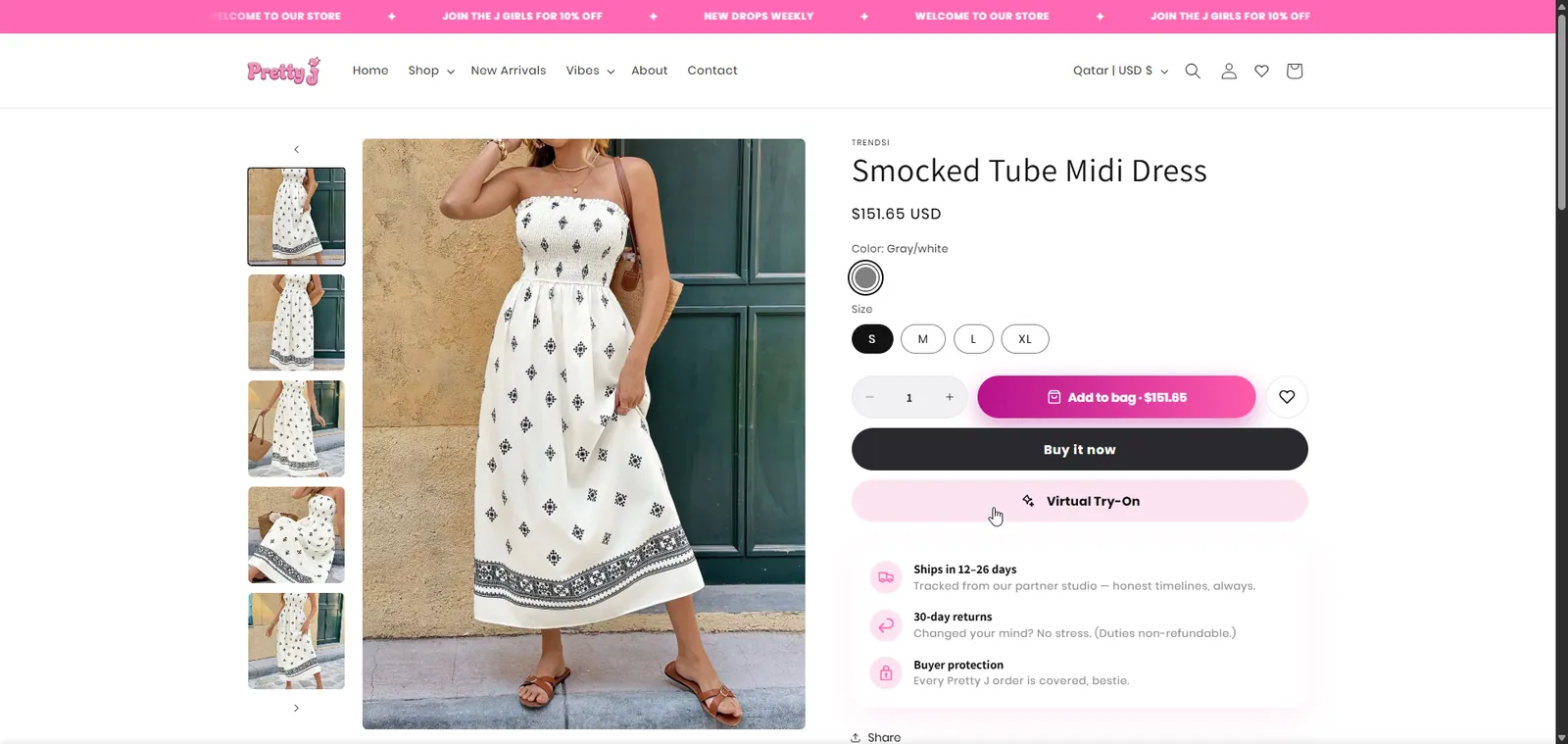
- The shopper taps Try-On on the product page.
- You receive
- A button in your brand style.
02
Consent The privacy screen
- What happens
- A short screen explains how the photo is used. Nothing starts until the shopper agrees.
- You receive
- A consent record for each try-on.
03
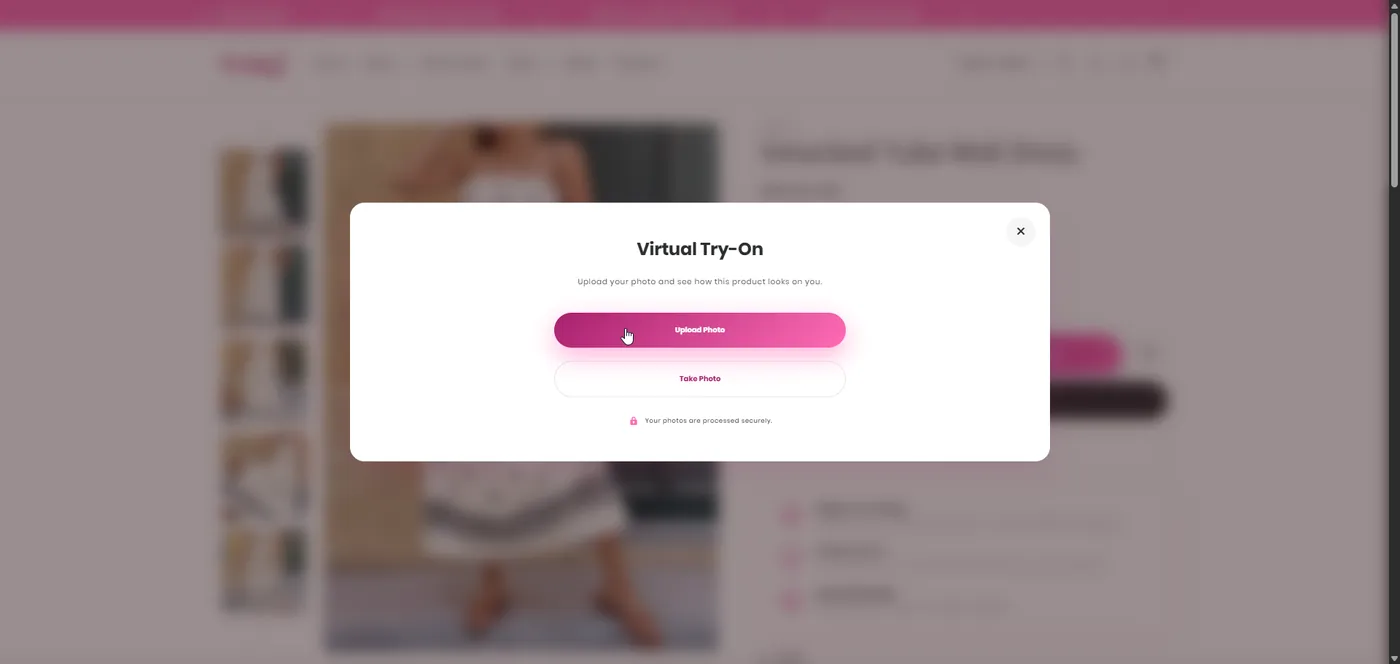
Upload The photo
- What happens
- The shopper uploads a photo from the phone or computer, and can keep browsing while it is processed.
- You receive
- No app and no account needed.
04
See it on The result
- What happens
- The result shows the product on the shopper, ready to add to the cart or download.
- You receive
- A buyer who has seen the fit.
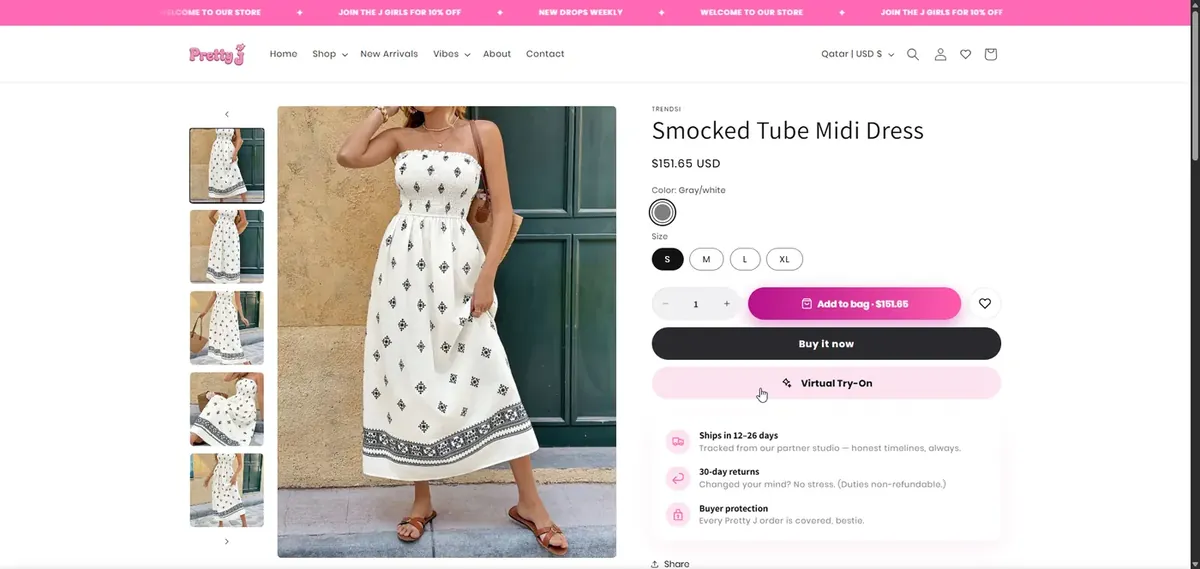
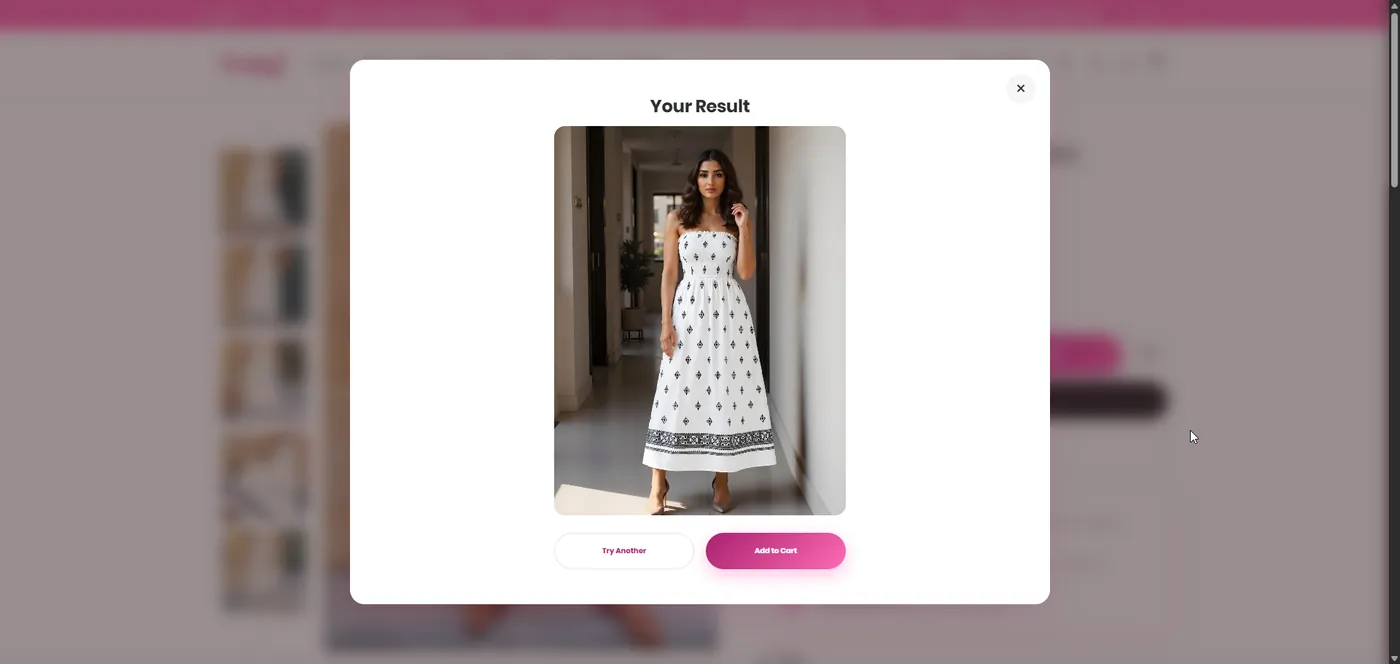
Live on Pretty J's online store.
The Try-On button sits on the product page. Here is the journey a shopper sees, from the button to the result.
- Consent before any upload
- Try-on privacy notice
- Delete a try-on at any time
- Withdraw consent from the try-on window
- Daily limits per shopper
01Tap Try-On
02Agree and upload
03See it on
What changes.
Without it
- Shoppers guessing how it will look
- Carts left at the moment of doubt
- Orders sent back because they were not what the shopper pictured
With it
- Shoppers see it on themselves before they buy
- The decision made on the product page
- Add to cart from the try-on window
Questions people ask
What is VTO virtual try-on?
VTO is the photo-based virtual try-on ABECODS builds into fashion online stores. It adds a Try-On button to the Shopify or WooCommerce product page: the shopper agrees to the privacy terms, uploads a photo and sees the product on themselves, then can add it to the cart from the same window.
Which platforms does VTO work on?
Shopify and WooCommerce. The Try-On button sits on the product page, so shoppers never leave your online store.
Which products can shoppers try on?
Fashion: tops, bottoms, dresses, sets and outerwear. Each product type is set up separately, with per-product overrides where needed.
How long does a try-on take?
Usually a couple of minutes. The shopper can minimise the window and keep browsing, and the result waits for them.
What happens to the shopper's photo?
The shopper agrees to a privacy notice before uploading, and can delete the try-on or withdraw consent at any time from the try-on window.
Can I see it working?
Yes. VTO is live on Pretty J's online store: open a dress and tap Try-On.







Returns from wrong guesses. Let them see it on.
Tell us about your online store
Four quick questions. We reply with the service that fits, and an honest view on whether we are the right partner.
- hello@abecods.com
- +974 520 333 29
Read next.
AI product photography for online stores: how it works and when it beats a studio
How AI product photography works, what you supply and when a studio shoot is still the better choice for your online store.

Shopify or WooCommerce in Qatar: which one fits your online store
A plain comparison of Shopify and WooCommerce for Qatar online stores: payments, running costs, upkeep and who each one suits.