On this page
The short answer
AI product photography turns a few photos of your real product into consistent, on-model images. It suits a catalogue that needs the same look across many products. A studio shoot is still better for a single hero campaign, or when fine material detail is the selling point.
Key takeaways
- You start with photos you already have, not a shoot.
- The value is consistency: the same model, backdrop and lighting across the catalogue.
- Always check the result against the real product before it goes live.
- Use a studio when the image itself is the campaign.
What is AI product photography?
It is a way of producing product images without a physical photoshoot. You provide existing photos of the product, such as a simple shot of a garment on the floor or a supplier image. The software, guided by an art direction brief, builds finished images of that product: for fashion, on a model, in a set environment, under a chosen lighting setup.
The point is not novelty. It is that every product in the catalogue ends up looking like it belongs to the same brand.
How does the process work, step by step?
Using our own AIVA service as the example, the steps are short.
-
You flag a product. You choose which products to process, from the photos you already have.
-
The product is analysed. The system reads the product's cut, material and style from the source photo.
-
An art direction brief is built. For each product it sets the lighting, the camera view and the setting, so the output follows photographic rules, not guesswork.
-
The images are produced. Three photos: front, side and back. A product video is included on plans that offer it.
-
They go into your online store. The images are placed on the product page, on Shopify or WooCommerce.
A product takes about five minutes.
Want to see your own product in an AIVA set?
What do you need to supply?
Less than people expect. A clear photo of the product, such as a flat shot on the floor, is enough to start. The better the source, the closer the result is to the real item, so photograph the product in good light, fully in frame and in focus.
You also need to decide the look once: the model, backdrop and lighting. After that, it applies across the whole catalogue.
What does it look like in practice?
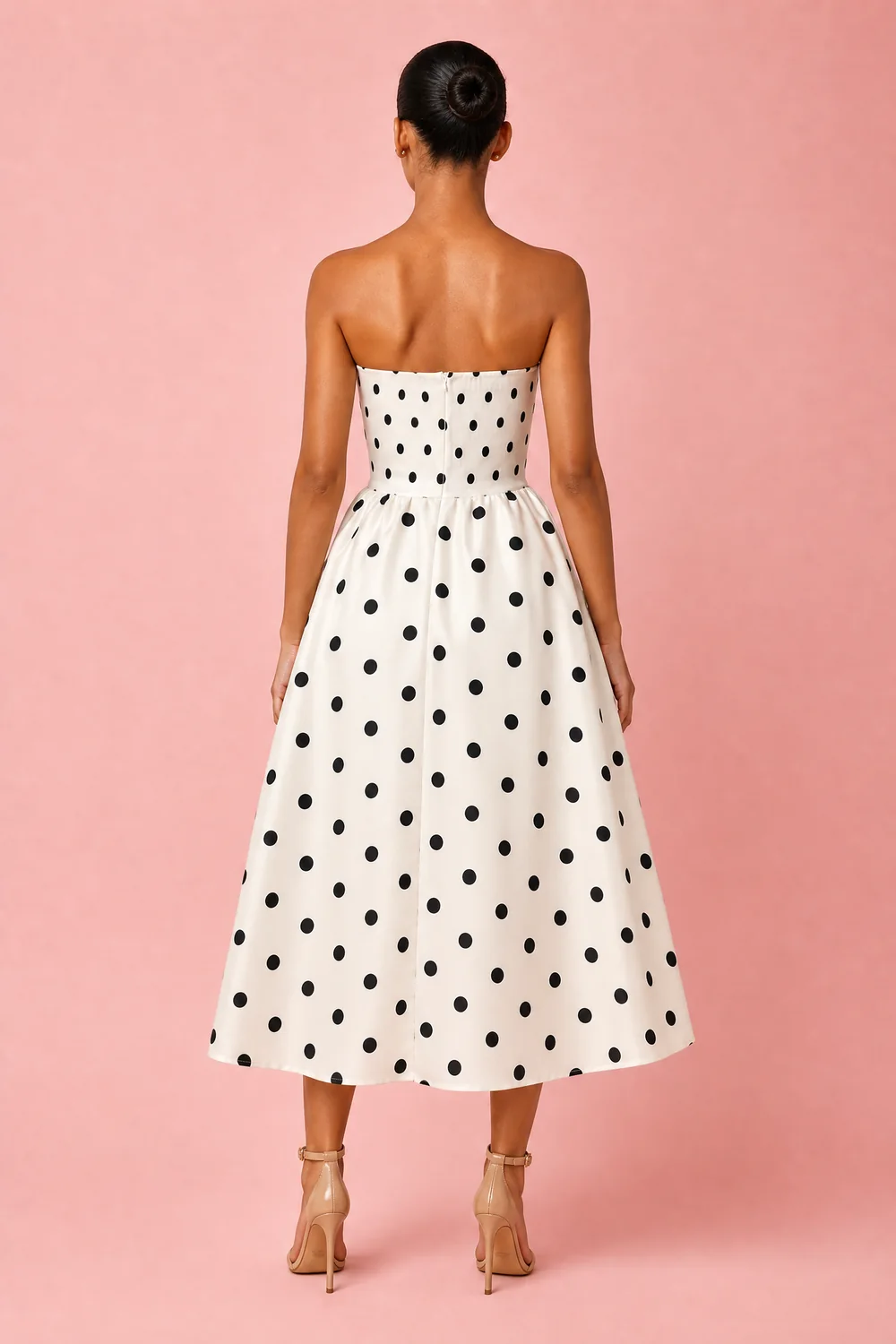
Pretty J is a fashion online store that uses AIVA. In this example the source is a simple photo of a polka dot midi dress on the floor, and the output is a front, side and back view of the same dress on one model against one backdrop.
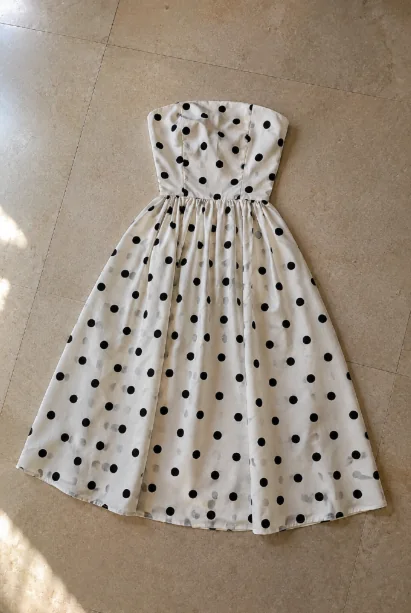
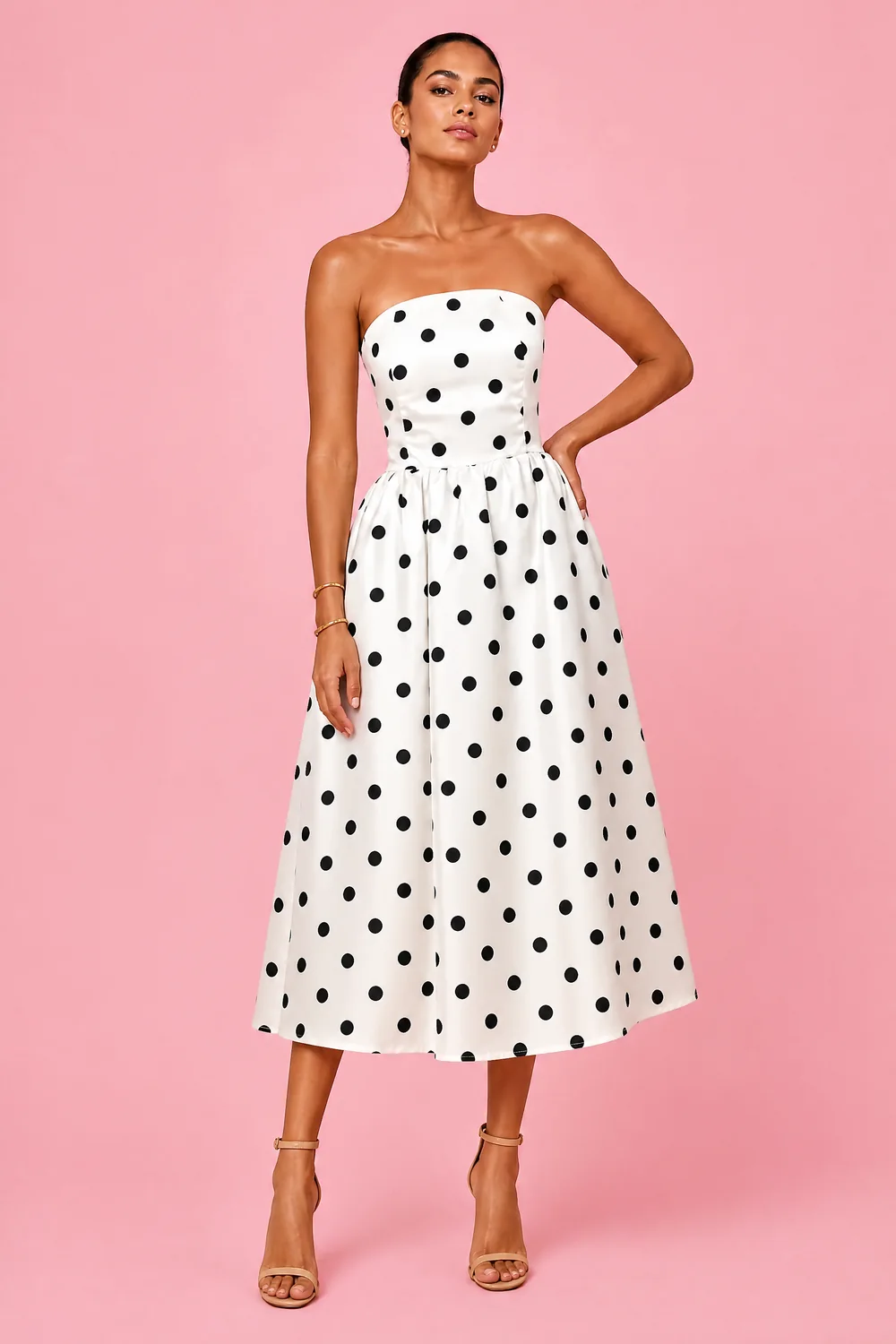
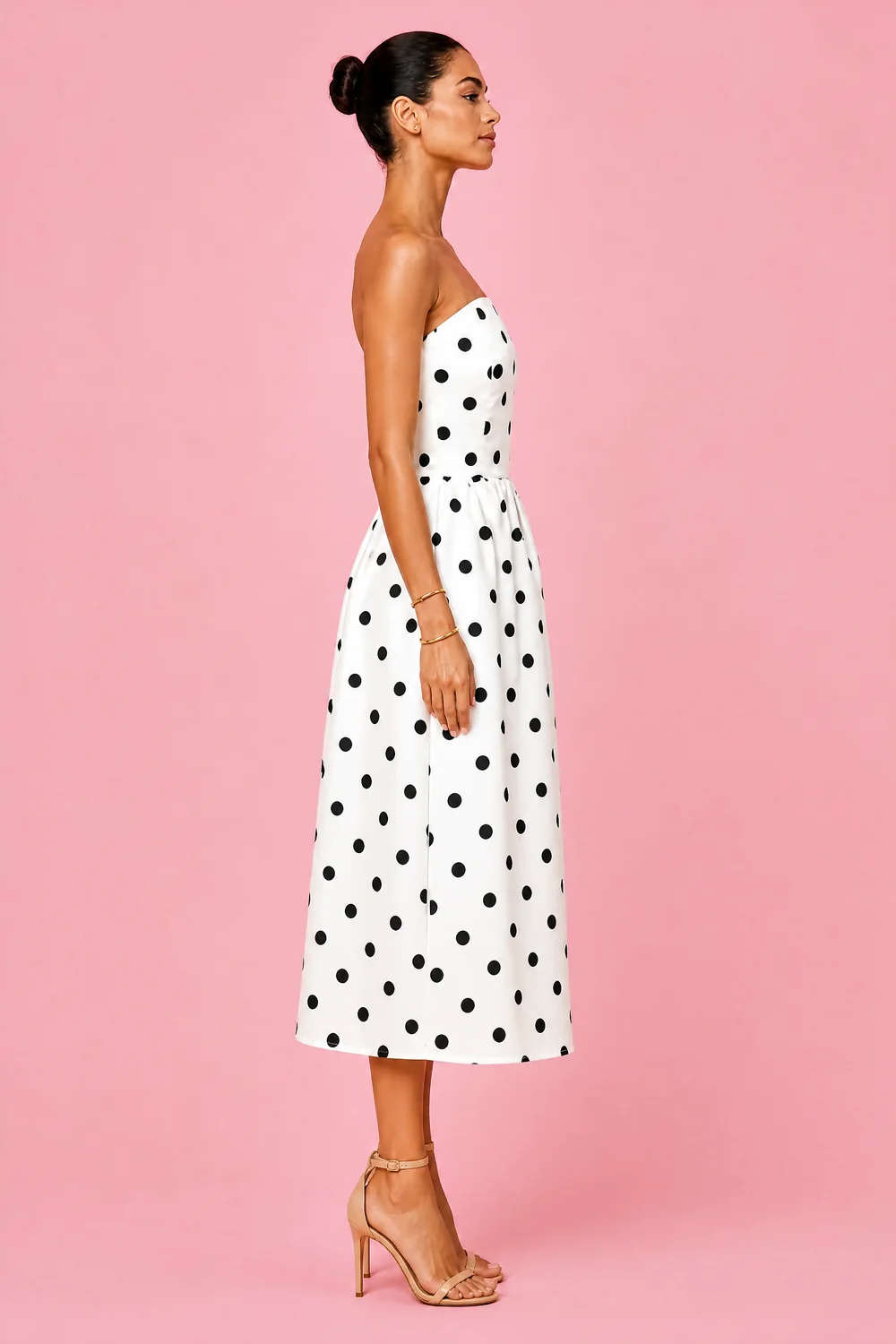
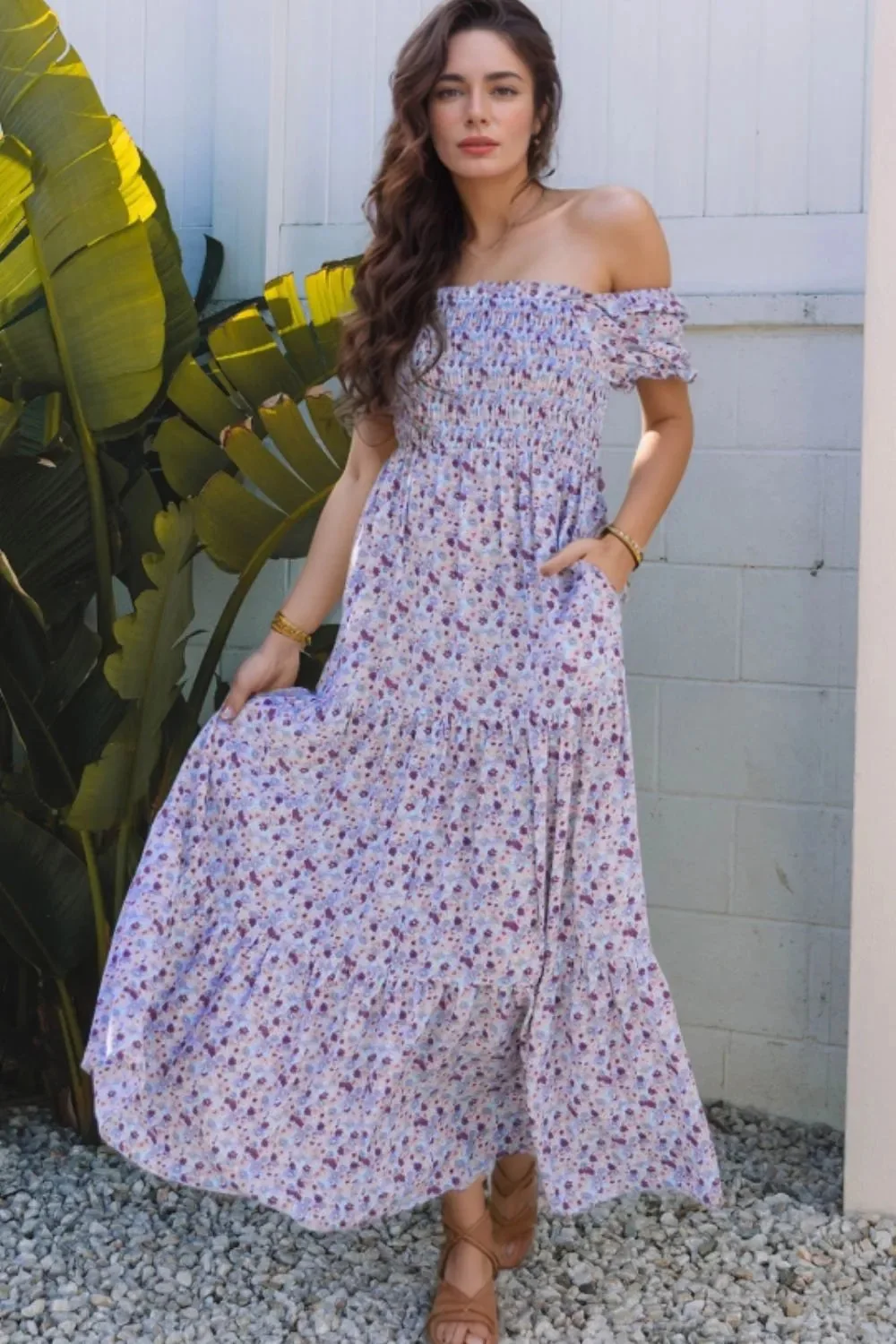
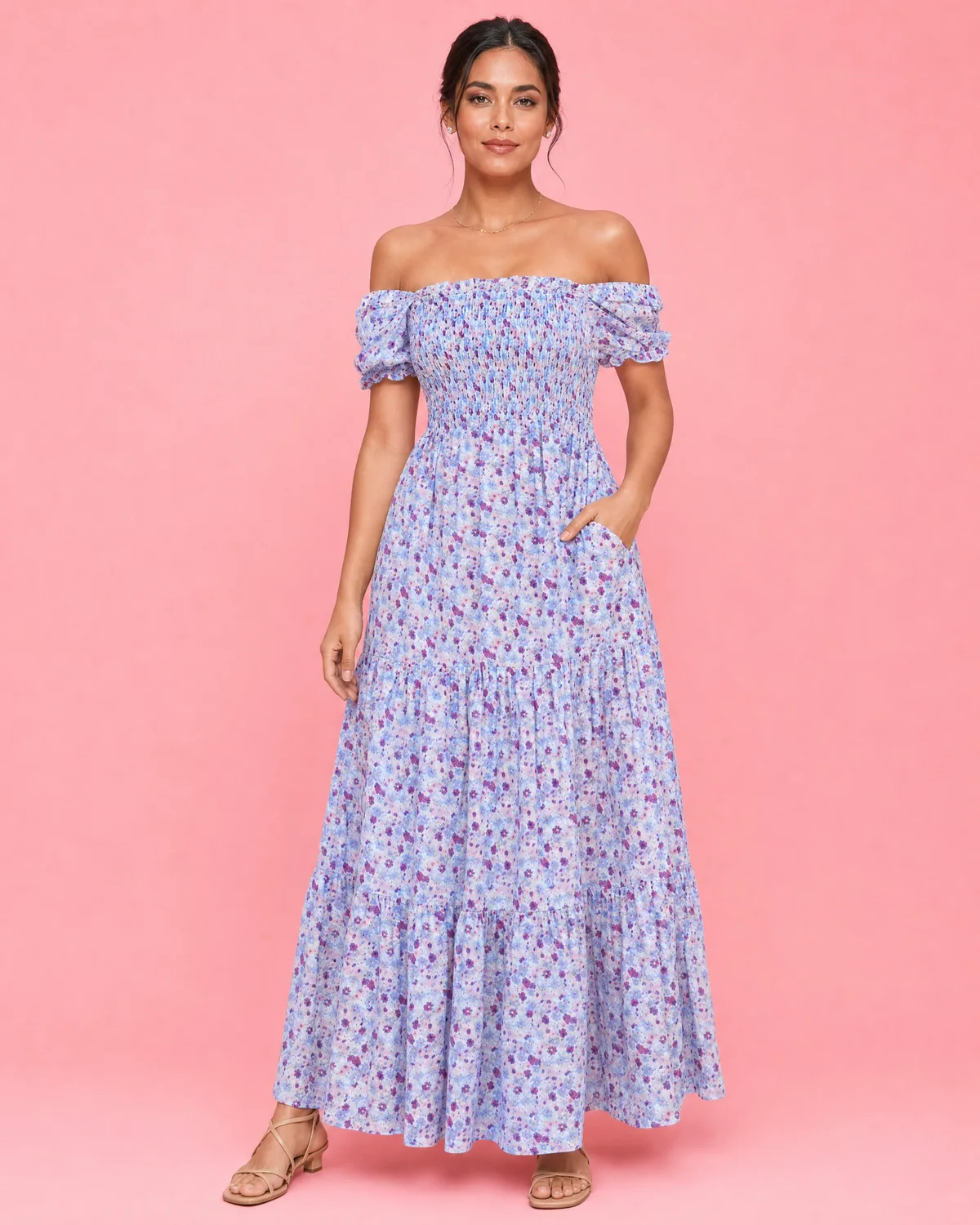
A second Pretty J product shows the consistency benefit. The supplier's photo and the AIVA set sit side by side: different lighting, model and backdrop on one side, one consistent look on the other.
It is not only for fashion. The Garden Centre uses AIVA for planters, plants and soil, where a plain studio shot becomes a styled scene.
When does AI beat a studio, and when does it not?
This section is our view, from doing the work.
| AI product photography | A studio shoot | |
|---|---|---|
| What you start with | Photos you already have | The physical product, a booked studio and, for fashion, a model |
| Consistency across a catalogue | The same model, backdrop and lighting on every product | Depends on the day, the team and the set |
| Time per product | About five minutes with AIVA | Depends on booking and schedule |
| Adding new products later | Process them the same way | Book and style again |
| Fine material detail, engraving or small print | Check carefully against the real item | Stronger: the camera sees the real thing |
| A campaign built around a concept, people or a location | Not the right tool | The right tool |
Our view: use AI product photography when the job is consistent, clear product images across many items, especially for a growing fashion or product catalogue. Use a studio when the image is the campaign, or when the product's value lies in detail a camera must capture directly. Many online stores sensibly use both.
How do you keep the product accurate?
The image has to show the product you actually ship. Before anything goes live:
-
Compare colour, cut and visible detail with the real item.
-
Check any text, label or pattern on the product.
-
Look at all three views, not only the front.
-
Keep a person responsible for approving each product's set.
If something is wrong, fix the source photo or the brief and process the product again. A shopper who receives something different from the picture does not come back.
How do you judge the results?
Judge them as a shopper would. Do the product pages feel like one brand? Can a buyer see the front, the side and the back? Then judge them as a business: after the new images go live, watch the product pages that changed. Look at how many visitors add the product to the cart, and whether they complete the order. Change nothing else at the same time, or you will not know what caused the change.
Where to go from here
Start with a handful of products and judge the results against the real items. If you would like to see how it would look for your online store, tell us about it.
Questions people ask
Will it look like my real product?
It builds from your photos, so the closer your source photo is to the real item, the closer the result. Always check each product's images against the real item before they go live.
What do I need to send?
Photos you already have, such as a flat shot of the product on the floor or a supplier image.
Does it work on Shopify and WooCommerce?
Yes. AIVA is built into both.
Can it make video?
A product video is included on plans that offer it. The standard output is three photos: front, side and back.
Is it only for fashion?
No. The Garden Centre uses it for planters, plants and soil.
Sources
ABECODS's own AIVA service and client work (Pretty J, The Garden Centre). No external statistics are cited.