

E-commerce automation in Qatar
Your online store, running in the background.
Catalogue syncs, low-stock alerts, a daily online store briefing and monthly reports, all automated. Changes that matter wait for your approval first.
- Runs
- In the background, on triggers and schedules
- Approval
- On prices and catalogue changes
- Records
- An activity log for every run
- Platforms
- Shopify and WooCommerce
The problem
Your team spends hours on copy and paste.
The problem
Stock, prices, orders and reports are moved between systems by hand.
How it feels
It's slow, it's easy to get wrong, and nobody enjoys it.
Why it matters
People should make the decisions. Repeat work should run on its own.

How we help
Workflows that run in the background, with you in control.
We build AIVA and the assistant to run inside online stores, and use the same approach for your repeat work.
- Every run is recorded in an activity log.
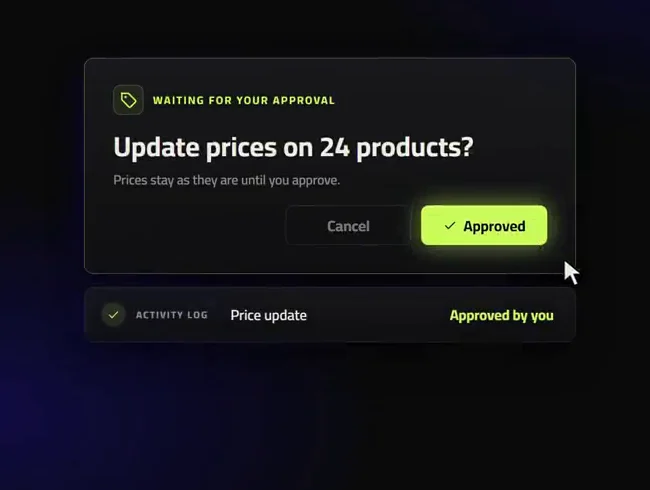
- Changes that matter wait for your approval.
- Built around Shopify and WooCommerce.
The plan
Three steps to your first workflow.
- 1Tell us the job
Which repeat job costs your team the most time?
- 2We build and test it
We set the trigger and the approval points, and test it with your team.
- 3It runs, you approve
The job runs in the background, and you approve the changes that matter.
What you get
- Triggers and schedulesJobs start on an event, such as a new order or a stock change, or on a schedule you choose.
- Approval pointsChanges that matter, such as prices or catalogue updates, wait for your approval before they go live.
- Activity logsEvery run is recorded, so you can see what happened and when.
- Alerts and briefingsLow-stock alerts and a daily briefing reach your team where they already work.
Five jobs your team stops doing by hand.
Each one is defined, tested with you and logged every time it runs.
01
Catalogue sync Products and stock
- What happens
- Products, prices and stock are kept in step across your online store and channels.
- You receive
- One source of truth.
02
Low-stock alert Before it runs out
- What happens
- Your team is told when a product runs low, before it sells out.
- You receive
- Time to reorder.
03
Daily briefing Orders and tasks
- What happens
- Each morning, a short summary of orders and tasks that need attention.
- You receive
- A clear start to the day.
04
Monthly report Against your measures
- What happens
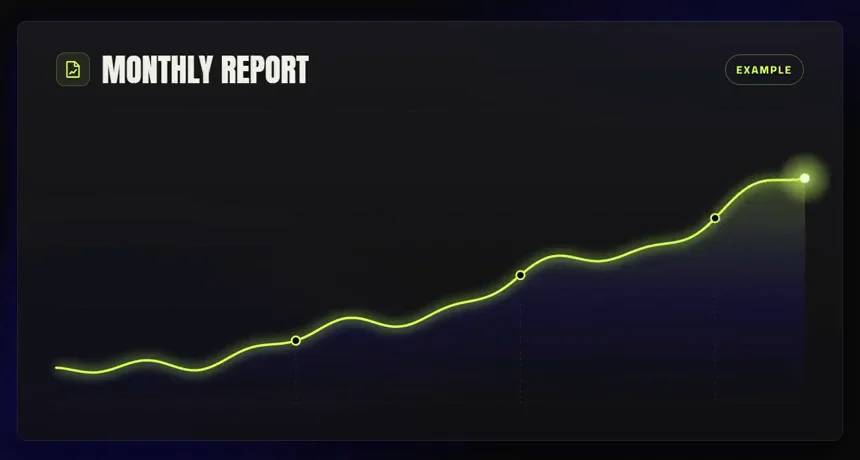
- Results are compiled against the measures you agreed, every month.
- You receive
- No spreadsheet assembly.
05
Lead handling Enquiries to sales
- What happens
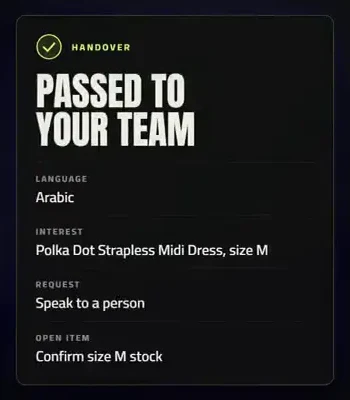
- New enquiries are recorded with their source, followed up once, and handed to a person.
- You receive
- No lead left unanswered.



Example workflow
The jobs that run before your team logs in.
An example of the workflows running in the background, each one logged and each change that matters held for approval.
- Catalogue and stock kept in sync
- Low-stock alerts before products sell out
- A daily online store briefing
- Changes that matter wait for your approval
What changes.
Without it
- Hours a week on copy and paste
- Products selling out before anyone notices
- Reports assembled by hand every month
With it
- Stock and catalogue kept in step
- A low-stock alert before it runs out
- A monthly report, ready when you need it
Questions people ask
What is workflow automation for an online store?
It is a set of defined jobs that run without anyone pressing a button. ABECODS builds them around Shopify and WooCommerce online stores in Qatar and the GCC: catalogue and stock syncs, low-stock alerts, a daily briefing, monthly reports and lead handling, each with approval points and an activity log.
Which jobs can be automated?
Catalogue and stock syncs, low-stock alerts, a daily briefing, monthly reports and lead handling are the common ones. We start with the job that costs your team the most time.
Will it change prices on its own?
No. Changes that matter, such as prices or catalogue updates, wait for your approval before they go live.
Can we see what it did?
Yes. Every run is recorded in an activity log.
Do we need developers?
No. ABECODS builds, tests and runs the workflows, and agrees each one with you first.
Which platforms does it work with?
Shopify and WooCommerce online stores, and the channels your team already uses.







Mornings spent on copy and paste. Hand it to a workflow.
Tell us about your online store
Four quick questions. We reply with the service that fits, and an honest view on whether we are the right partner.
- hello@abecods.com
- +974 520 333 29
Read next.

Why an online store gets traffic but no orders: a diagnostic checklist
A checklist for finding where buyers leave your online store before they pay, in the order to check it: tracking, homepage, products, cart and payment.

How to choose an e-commerce agency in Qatar, and what to ask before you sign
The questions to ask before you sign with an e-commerce agency in Qatar: what proof to ask for, how work is measured and what to check in a proposal.